


|
Name |
CloudStream |
|---|---|
|
Category |
Entertainment |
|
Developer |
CloudStream DEV |
| Last version | 4.7.0 |
|
Updated |
|
|
Compatible with |
Android 7.0+ |
Introduction to CloudStream MOD APK
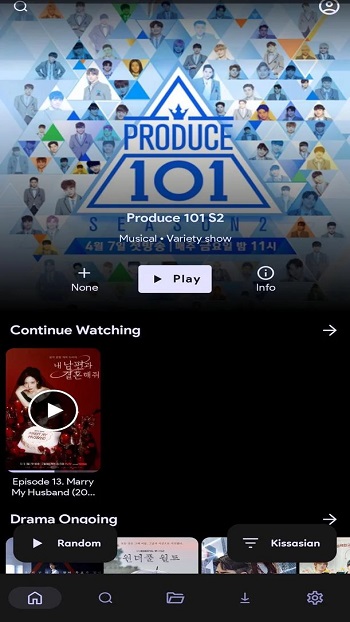
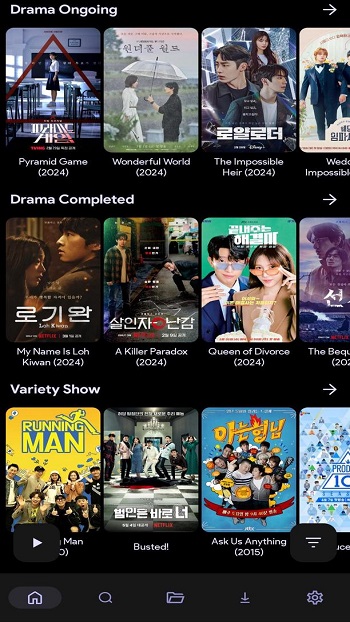
CloudStream MOD APK is a streaming app built for people who want movies, TV shows, anime, and other video content in one place. It uses a clean interface and a repository-based setup, so users can add sources and browse a large content library without hopping between multiple apps. The main appeal is simple: quick access, smooth playback, subtitle support, and offline downloads.
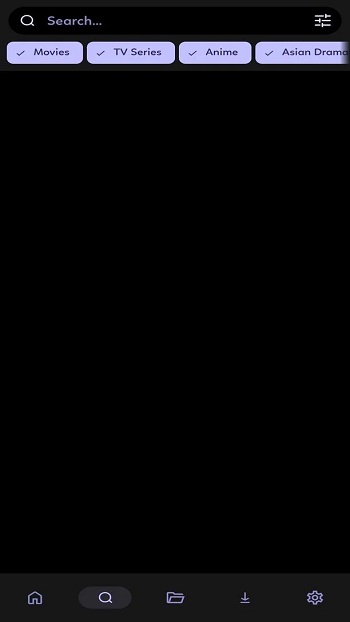
The app is mainly used for streaming content from many providers through extensions. After installing repositories, users can search titles, open available links, and start watching with the built-in player. It also supports different languages, which helps people who watch international content or need subtitles to follow along without a headache.
One of its strongest points is convenience. Search feels more organized because content is pulled into one interface instead of being scattered across different sites. Download options are useful for travel, weak Wi-Fi, or those moments when your signal suddenly acts like it has personal issues. Support for Android phones, tablets, TVs, and casting also makes it easier to watch on the screen you prefer.
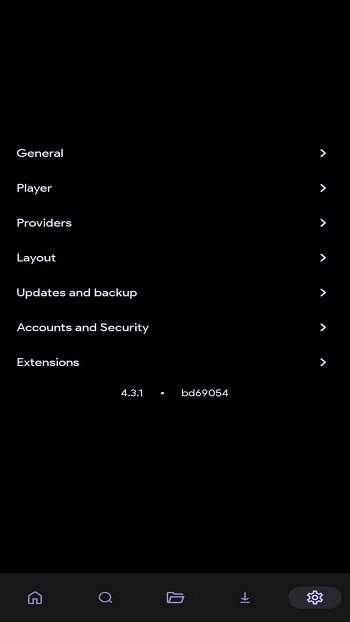
CloudStream MOD APK also stands out for customization. Users can add repositories, install only the extensions they want, and shape the app around their own viewing habits. Subtitle options, language support, watch status tools, and favorites lists make it easier to keep track of what to watch next. For people who like control, that setup feels more practical than a one-size-fits-all streaming app.
There are still some limits to know about. The app depends on third-party sources, so link quality can vary and some titles may stop working without warning. Setup takes a little more effort than a typical install-and-play app because repositories and extensions need to be added first. Some users may also need a VPN in certain regions, and content availability can shift depending on the source.
This app suits users who want a flexible streaming tool and do not mind a bit of setup to get it working the way they want. It is useful for people who watch content from different regions, need subtitle options, or like downloading videos for offline viewing. New users who want the easiest setup may need a few minutes to get used to it, but people who like organized streaming options will probably settle in fast.
FAQs CloudStream
What is CloudStream MOD APK used for?
+
CloudStream MOD APK is used for streaming movies, TV shows, anime, and similar video content through added repositories and extensions in one app.
Does CloudStream MOD APK support downloads for offline viewing?
+
Yes. It includes download options that let users save content and watch later without needing a constant internet connection.
How do repositories and extensions work in CloudStream MOD APK?
+
Repositories act like source lists, and extensions are the tools that pull content into the app. Users add them to access different libraries and languages.
Is CloudStream MOD APK good for watching content in different languages?
+
Yes. It supports multilingual content and subtitles, which makes it useful for users who watch shows and movies from different countries.
What are the main drawbacks of CloudStream MOD APK?
+
The setup can take extra time, some links may stop working, and content availability may change depending on the source or region.
Discover More Interesting Apps
-
 Mod
Mod
NetTV
v3.7.17
44.54 Mb
Updated -
EVA AI
v3.143.0
53.14 Mb
Updated -
Mod
Dubbing AI
v1.0.9
87.46 Mb
Updated -
Mod
FreeReels
v2.3.60
136.11 Mb
Updated -
Mod
QuickTV
v2026.15.03
47.42 Mb
Updated -
LoveNasha
v5.8.6
68.93 Mb
Updated -
Mod
Dream Face
v6.29.1
252.33 Mb
Updated -
Mod
AI GirlFriend
v2.1.3.0
126.00 Mb
Updated -
Mod
Stardust TV
v2.40.1
139.28 Mb
Updated -
Mod
PolyBuzz
v2.2.36
190.76 Mb
Updated









Share Your Thoughts